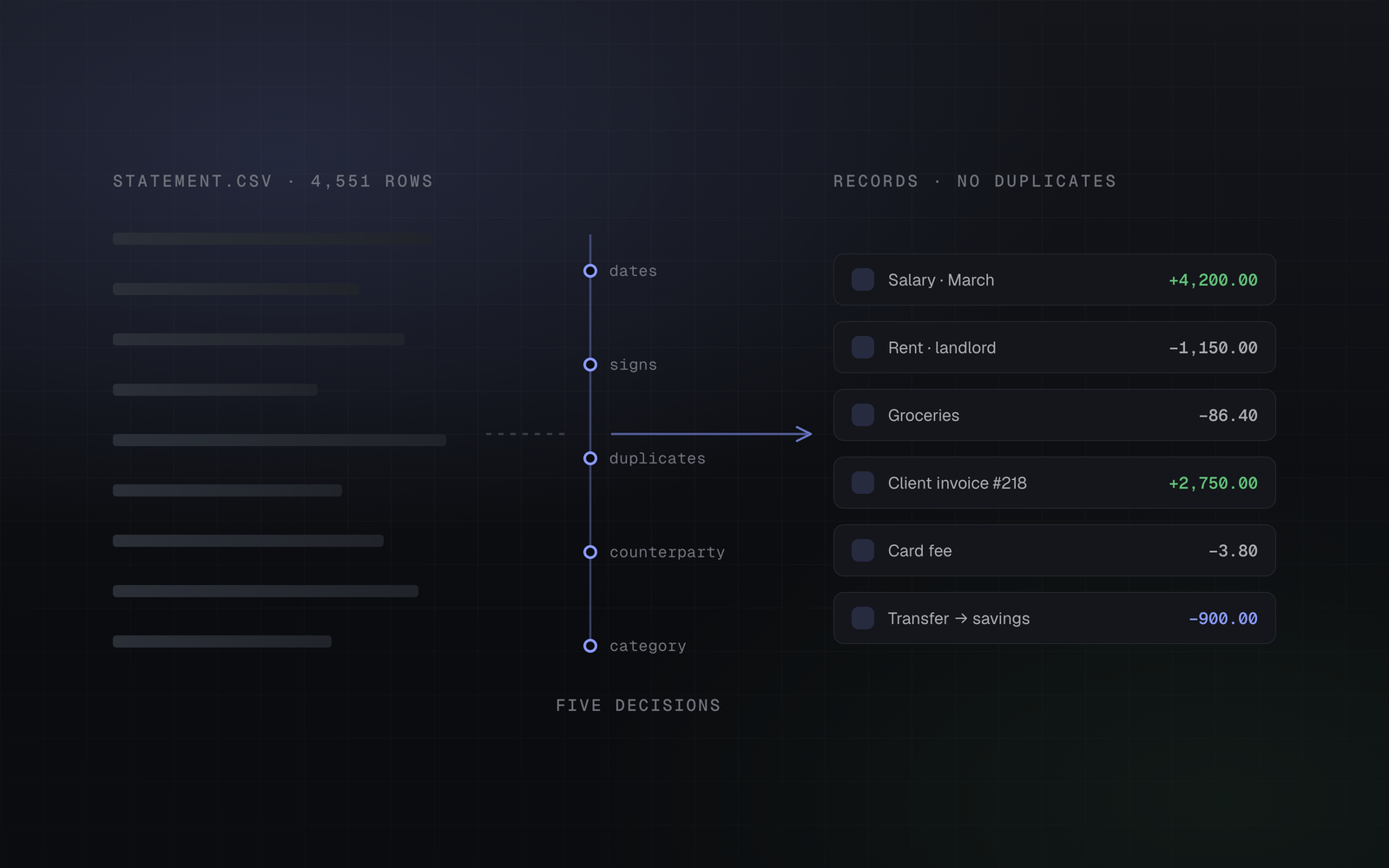
"Just import your statement" is the shortest sentence in personal finance software and the least honest. The file downloads in seconds. What happens next decides whether you end up with a working set of records or a pile of rows you will spend a weekend correcting and then abandon.
We have built importers for eight or so financial institutions now, across CSV, XLS, XLSX and PDF, in three languages and two alphabets. The interesting thing is how little variation there is in the problems. The formats differ wildly. The five decisions are always the same ones.
This is what they are, and what a good answer to each looks like — whether the tool doing the importing is ours, someone else's, or you and a spreadsheet on a Sunday.
The file is not a table
You would think a bank statement is rows and columns. Frequently it is not.
Real examples from real exports, all currently in production: a CSV encoded in Windows-1251 rather than UTF-8, so every Cyrillic name arrives as mojibake unless you detect the encoding before parsing. A file named .xls that is actually HTML with a table in it. An XLSX where the header row is row 4, because rows 1 to 3 are a logo, a title and the date range. A PDF certificate with the amounts right-aligned in a monospace column, where the only way to tell an amount from a balance is horizontal position on the page.
Then there is the column layout, which changes by institution, by product, and sometimes by the language you had selected when you clicked export. The same bank's personal and business exports may share no column names at all.
The detail that eats an afternoon
Amounts. A statement may carry the amount as one signed column, or as separate debit and credit columns, or as an unsigned amount plus a direction word in another column — in the local language. Decimal separators may be commas. Thousands separators may be spaces, or non-breaking spaces, which look identical and are a different character. Get any of this slightly wrong and you do not get an error: you get a number that is a thousand times too big, in one row out of four hundred.
A statement importer is therefore not a CSV reader. It is a per-institution parser that knows the shape of that institution's export, plus a fallback for everything else. There is no clever generic solution here, and tools that promise one are usually asking you to map the columns yourself, every time.
Deciding what is the same transaction twice
This is the decision that separates tools you keep from tools you delete.
You import January. In February you import again, and — because the export dialogue defaulted to "last 90 days" — the file contains January as well. Naive import doubles your January. Do that once with three months of history and you have a mess whose only reliable fix is deleting everything and starting over.
So every row needs an identity that survives being re-imported. The good case is when the institution provides one: a document number, a reference, a transaction id. Store it, and re-importing becomes a no-op — you can pull the same file every day if you want.
The hard case is when it does not, which is common in personal-account exports. Then identity has to be synthesised from the row itself: timestamp, plus card or account, plus signed amount, plus the balance after the transaction. That last field is what makes the key trustworthy, because two genuinely separate coffees at 09:14 for the same amount will leave different running balances.
There is a subtler version of the same problem. Some of the rows in the file describe money movements you already entered by hand — the invoice payment you booked when the client told you it was sent, the transfer between your own accounts you recorded from both sides. The statement now carries the bank's version of an event you already have. A duplicate check based on the institution's own reference will not catch it, because your hand-entered row never had one.
That needs a second, looser match: same account, same signed amount, same currency, same day. One statement row may absorb at most one existing record. And when you confirm the match, the right move is to stamp the institution's reference onto the record you already had — so the next pull dedups it the fast, exact way.
An importer that never asks you anything is not cleverer than the others. It is making the same ambiguous decisions silently, and you will find out which ones about four months later.
On automation that will not admit uncertainty
Two rows, one event
Move money between your own accounts and both statements will show it. Import both and your records claim you spent the money and separately received it — a spending spike and an income spike in the same month, neither of which happened.
A transfer is one event with two legs, and it has to be stored that way: linked rows that share a group, excluded from spending and income totals, and — when the two legs are in different currencies — a third row for the conversion loss, so both balances reconcile without a fudge.
The awkward part is that an importer often cannot tell. "Payment to ACME LTD" might be a supplier you pay every month, or it might be your own company. The honest design is to require you to say so once, per counterparty, and remember the answer forever. Guessing a default here is how a tool ends up hiding real expenses inside "transfers", which is worse than asking.
Categorising on the right input
Most importers categorise by matching text in the description. It works about as well as you would expect for a field that contains SumUp *THE COFFEE, IZ *COFFEE LDN, and PAYPAL *COFFEEROASTE.
There is a better input sitting unused in most statements. Card transactions carry a merchant category code — a four-digit number the payment networks assign to the merchant. 5812 is eating places. 5411 is grocery stores. 4121 is taxis. It is assigned by the acquiring institution, not by the merchant's marketing department, and it does not change when they rebrand.
Rules built on merchant codes hold up over time in a way that text rules do not. Text matching still has a job — for bank-side operations that carry no code, and for the specific merchants you want split out from their category — but it should be the second input, not the first.
The rows you never want to see again
Every account has recurring rows that are noise: an internal sweep, a card-verification hold, a fee already accounted for elsewhere. A good importer lets you mark one and never asks again — the decision keyed to the row's identity, so it survives re-imports without hiding anything that merely looks similar.
The same applies to every other correction you make during an import. If you tell the tool that this counterparty is a transfer, or that this description means that subtype, that answer should be the last time you are asked. An importer that does not accumulate your decisions is one that costs the same amount of work every single month, forever — which is exactly the point at which people go back to not tracking anything.
What to look for
| Decision | Bad answer | Good answer |
|---|---|---|
| Reading the file | "Map your columns" every time | Knows the institution's format, including encodings |
| Duplicate detection | Date + amount only | Institution reference, or a synthesised key including the balance |
| Hand-entered rows | Ignored; you get both | Matched, confirmed by you, reference stamped on |
| Transfers | Guessed from description | Asked once per counterparty, remembered |
| Categorisation | Description text | Merchant code first, text second |
| Your corrections | Repeated monthly | Saved as a rule keyed to the row |
The test for any importer is not the first run. It is the fourth. If month four takes as long as month one, the tool is not learning, and no amount of automation elsewhere will make up for it.
See your own number instead of reading about someone else’s.
Import a statement, add your accounts, and get a real net-worth figure in an evening. One month free, no card required.
Start free